Collaboration is key! Here’s how to get your team up and running with LogDone.
1. Invite Your Team
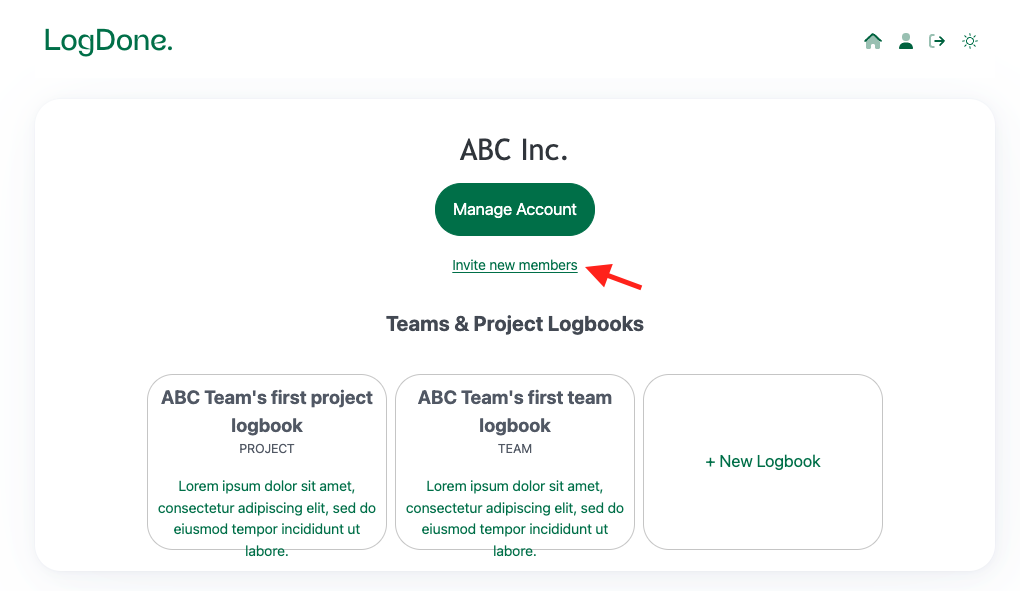
In your dashboard, click Invite new members.
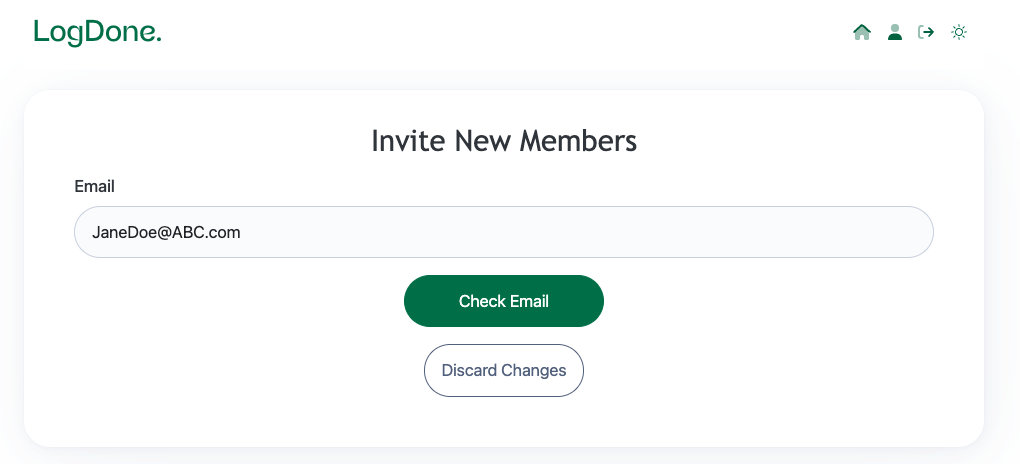
Enter their email addresses and hit Check Email:
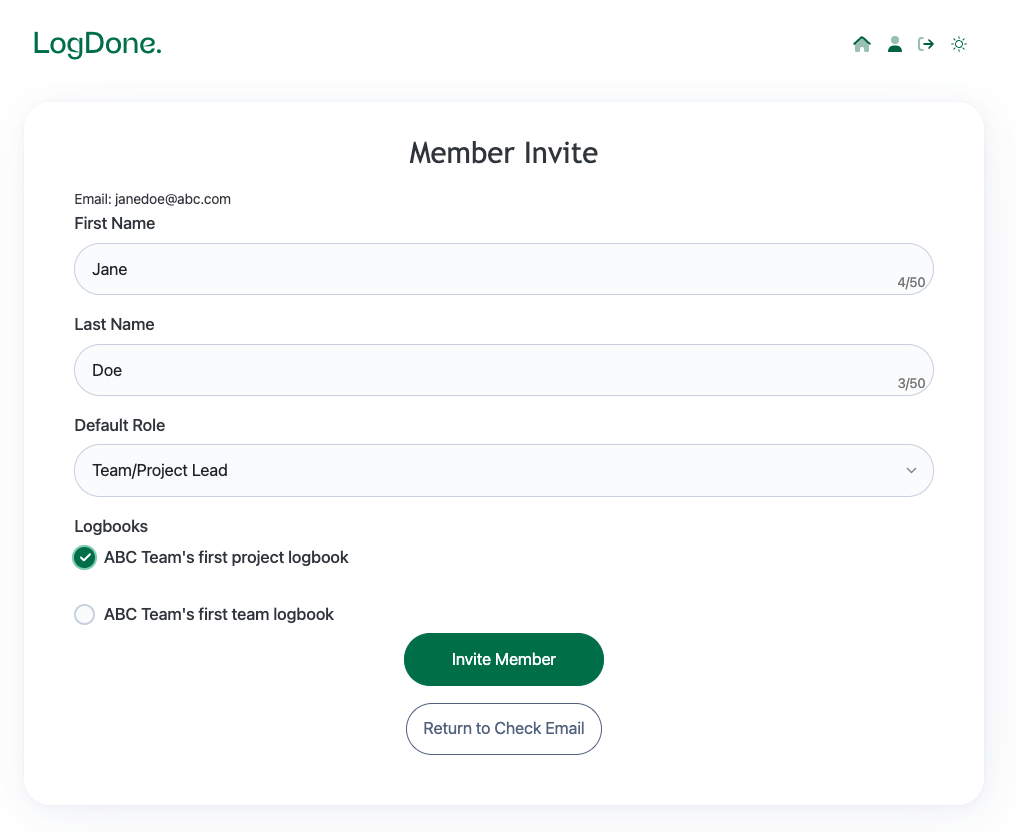
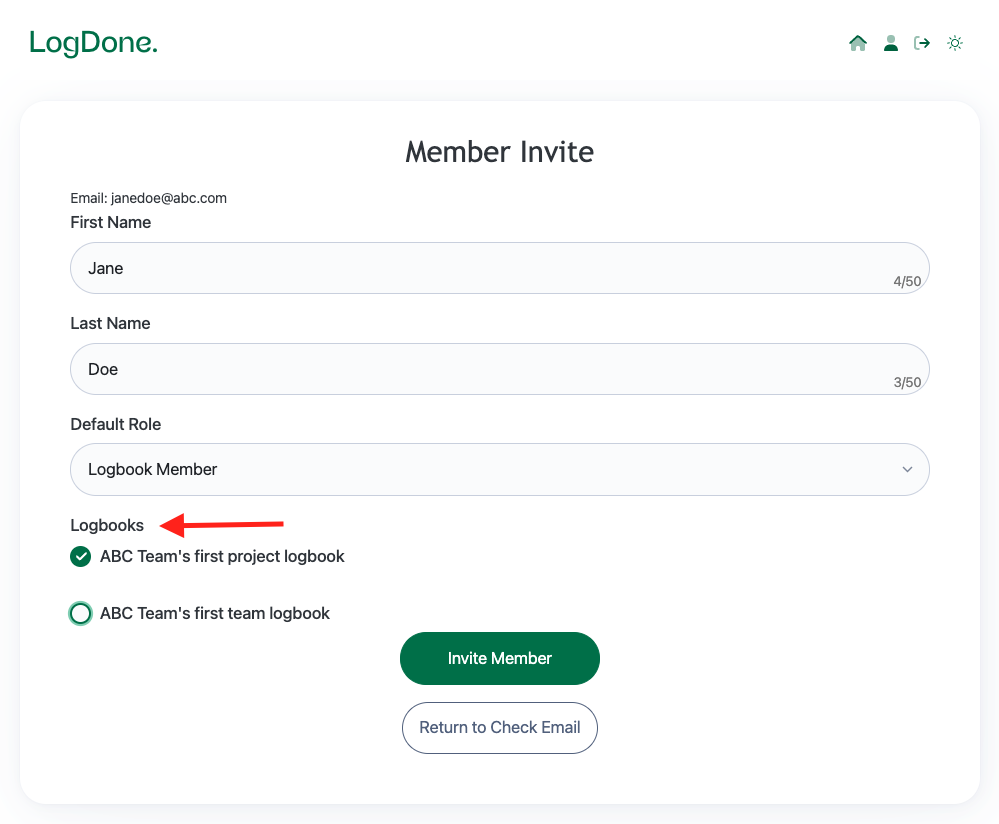
2. Fill in the member's details
3. Assign Roles
Decide who’s doing what by assigning roles -- Logbook Member, Team/Project Lead or Viewer (Read Only)!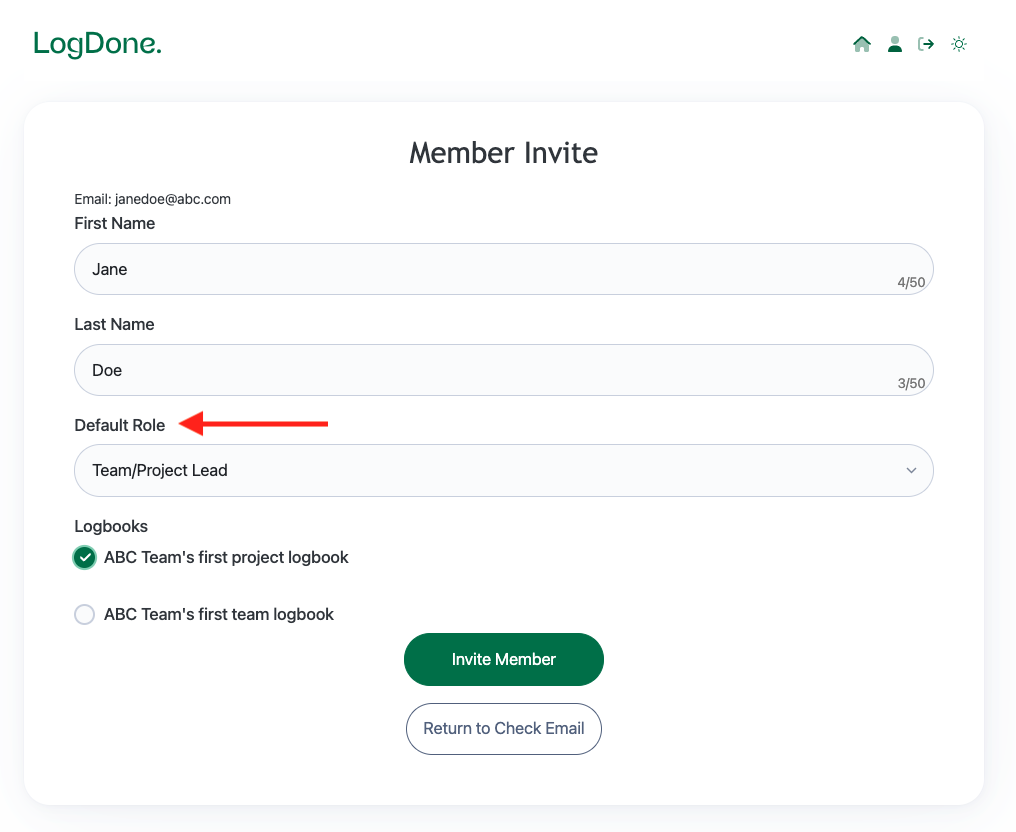
4. Choose which Logbooks you want to give them access to
5. Collaborate and Log!
Once they accept the invite, your team’s ready to log their progress and keep everyone in the loop.
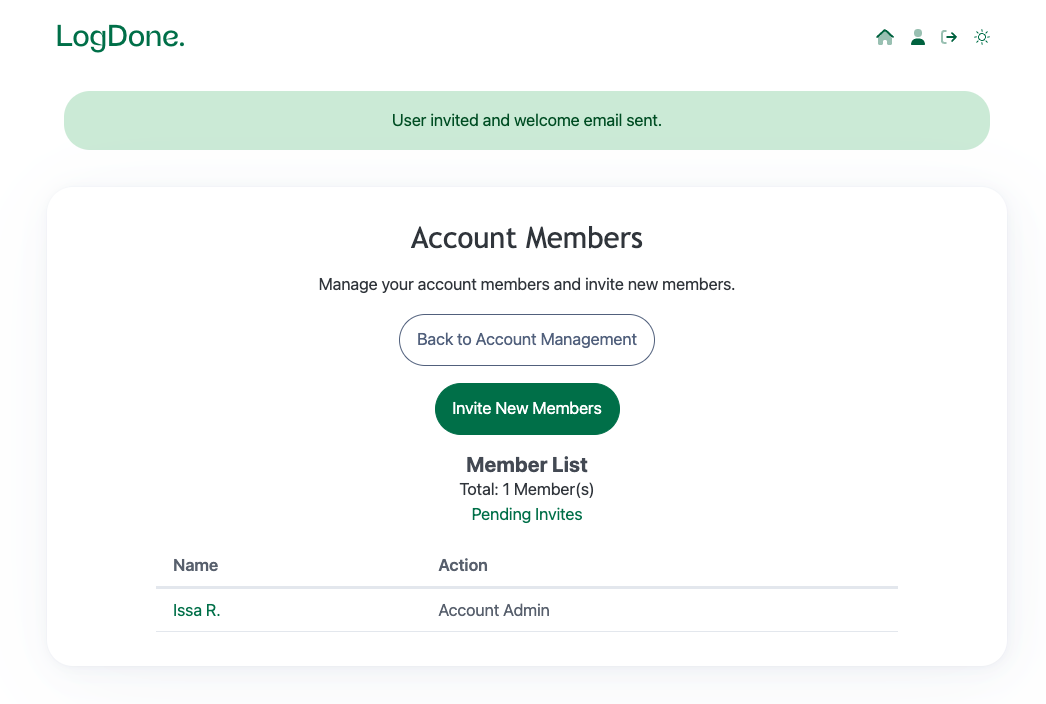
You’re all set! Teamwork just got a whole lot easier with LogDone.